Pour accéder au serveur Jellyfin, il est conseillé d’utiliser une application depuis une box TV *(voir* [Box TV conseillées](https://wiki.schutzhome.ovh/books/jellyfin/page/box-tv-conseillees "Box TV conseillées")*)*.
L'application **Jellyfin** est disponible pour tous les appareils, dans leurs stores respectifs. #### Android **Smartphone** - [Jellyfin](https://play.google.com/store/apps/details?id=org.jellyfin.mobile) **Android TV** - [Jellyfin for Android TV](https://play.google.com/store/apps/details?id=org.jellyfin.androidtv) - **[Wholphin](https://play.google.com/store/apps/details?id=com.github.damontecres.wholphin&hl=fr)****Wholphin** conseillé, possède une meilleure interface et plus d'options avancées.
**Amazon Fire TV** - [Jellyfin for Fire TV](https://www.amazon.fr/gp/aw/d/B07TX7Z725) - **[Wholphin](https://www.amazon.fr/Damontecres-Wholphin/dp/B0G8RQQR9T/ref=sr_1_1?__mk_fr_FR=%C3%85M%C3%85%C5%BD%C3%95%C3%91&crid=2AAB38XXFJWEG&dib=eyJ2IjoiMSJ9.ndAH_fFS1tyEHmNug0KOfg.7uCwjTMm3UDeDvs4g1lys_N70l0SPXJGwIP9x7igqp8&dib_tag=se&keywords=wholphin&qid=1774974796&s=mobile-apps&sprefix=wholphin%2Cmobile-apps%2C232&sr=1-1)****Wholphin** conseillé, possède une meilleure interface et plus d'options avancées.
#### Google CastIl n'est pas conseillé d'utiliser la fonction Google Cast, la qualité vidéo et audio est fortement dégradée ! Peu de format sont compatibles avec la fonction Cast, ce qui oblige le transcodage coté serveur ! [Contenus multimédias compatibles avec Google Cast](https://developers.google.com/cast/docs/media?hl=fr)
#### iOS **Iphone / Ipad** - [Jellyfin Mobile](https://apps.apple.com/us/app/jellyfin-mobile/id1480192618?mt=8) ou [Swiftfin](https://apps.apple.com/fr/app/swiftfin/id1604098728) **Apple TV** - [Swiftfin](https://apps.apple.com/fr/app/swiftfin/id1604098728) #### Windows / MacOS / Linux **Windows 10 et 11 / MacOS / Linux (Debian / Ubuntu)** - [Jellyfin Media Player](https://github.com/jellyfin/jellyfin-media-player/releases) #### Autres Depuis un navigateur internet *(non conseillé)*.De nombreux formats audio et vidéo ne peuvent êtres lus avec des navigateurs.
## Serveur| [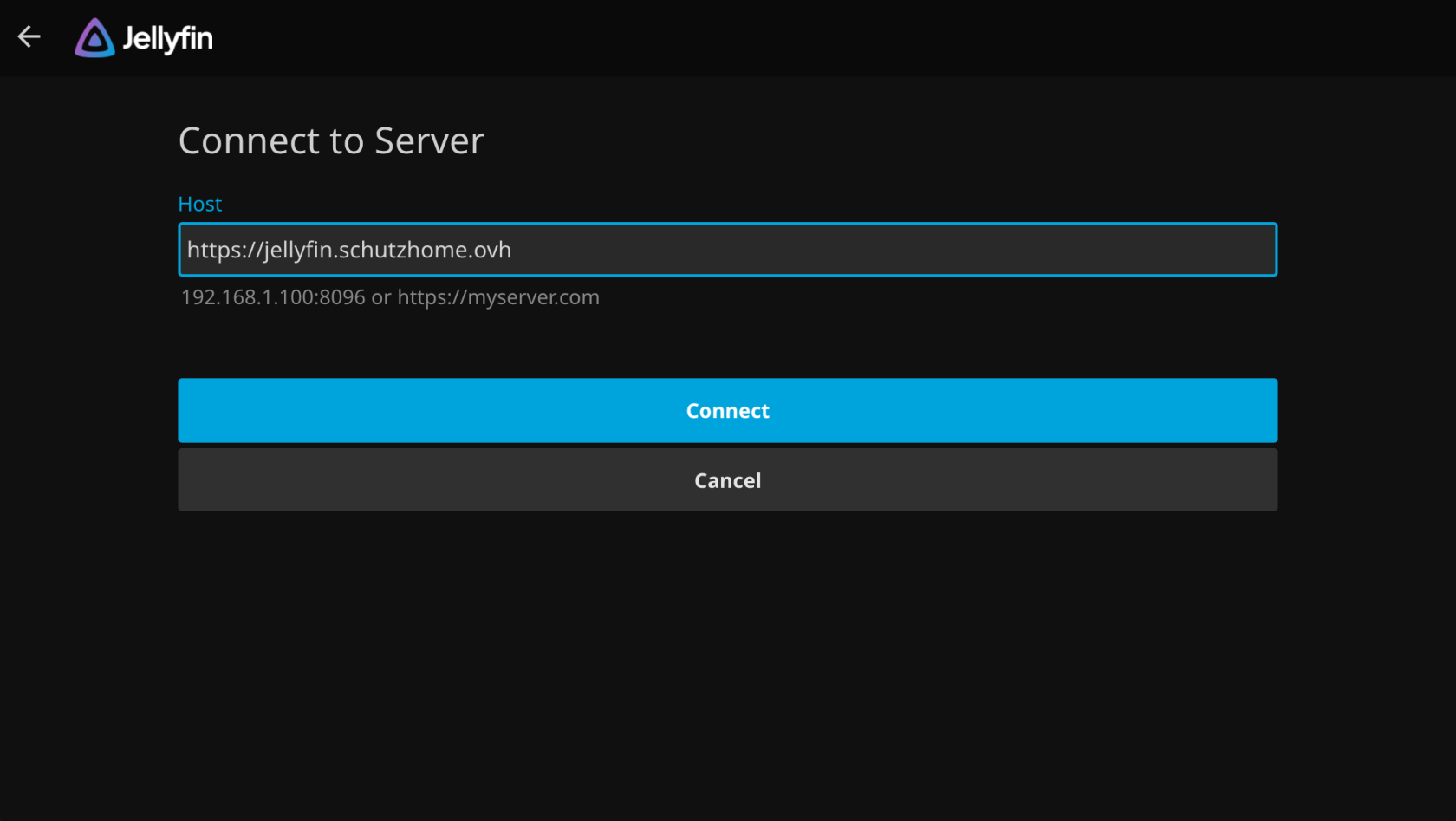](https://wiki.schutzhome.ovh/uploads/images/gallery/2026-03/capture-decran-2026-03-13-a-14-58-36.png) | 1. Entrer l'adresse du serveur dans le champ **Host ** 2. Cliquer sur Connect |
| [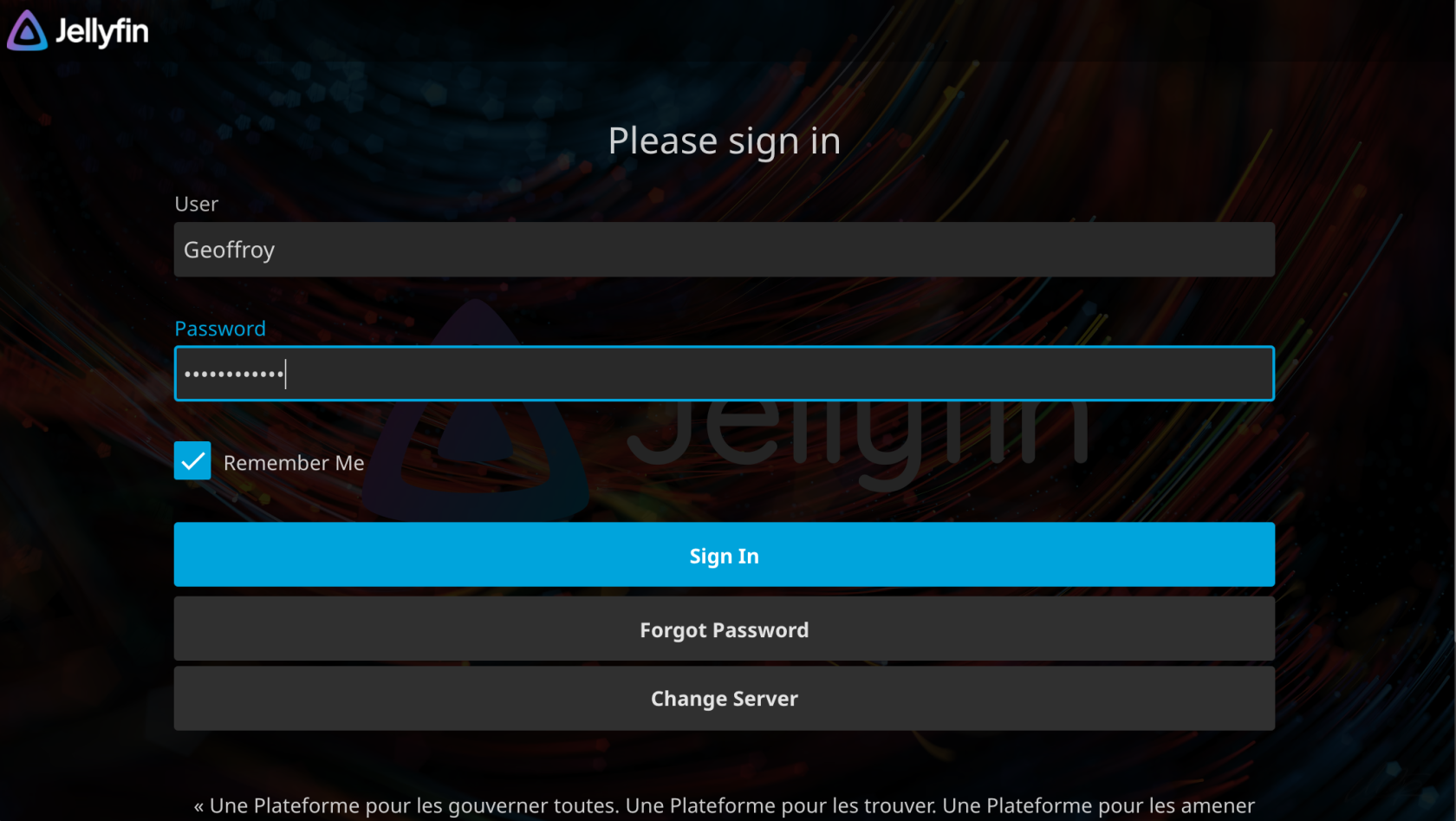](https://wiki.schutzhome.ovh/uploads/images/gallery/2026-03/capture-decran-2026-03-13-a-14-58-59.png) | 1. Entre votre nom d'utilisateur dans le champ **User** 2. 2 - Puis renseigner votre mot de passe dans **Password** 3. 3 - Cocher la case "Remember Me" 4. Cliquer sur Sign In |